
If you want to effectively track sales leads, you have to move past the chaos of messy spreadsheets and forgotten sticky notes. It all comes down to having a structured system, usually a CRM, where you can see every single interaction—from that first contact all the way to the final sale. It’s about building a clear, actionable path for every potential customer.
Why You Need a System to Track Sales Leads

Let’s be real. Trying to manage leads without a dedicated system is like navigating a new city without a map. You might get there eventually, but you’ll waste a ton of time and energy on dead ends. A proper system to track sales leads isn't just about tidying up; it's a strategic move from being reactive to proactive.
Instead of just guessing which prospect to call next, you have real data showing you exactly who is most engaged. This proactive approach lets your team focus their efforts on the high-value prospects who are getting close to a decision, which is a massive boost to efficiency.
Moving Beyond Simple Administration
Thinking of lead tracking as just admin work is a huge, costly mistake. The real gold is in the business intelligence it gives you. When you meticulously track sales leads, you start seeing patterns you couldn't spot before.
- Pinpoint Your Best Lead Sources: You'll quickly figure out which marketing channels—organic search, paid ads, or referrals—are actually bringing in qualified leads.
- Understand Lead Behavior: You can see who is opening your emails, visiting your pricing page, or downloading case studies. These are clear buying signals.
- Improve Team Accountability: A transparent system means everyone knows where each lead is in the pipeline. No more confusion, and no more opportunities slipping through the cracks.
The real cost of not tracking leads isn't just a few lost sales. It's wasted marketing dollars, a demotivated sales team, and a total inability to predict revenue.
The Financial Impact of Effective Tracking
The numbers behind lead generation really drive home why this is so critical. With 50% of marketers saying it's a top priority, the sheer volume of leads can be overwhelming. For many companies, this means juggling over 1,800 leads every single month.
Each one of those leads represents a serious investment, with the average cost to acquire a single lead hovering around $200. Without a solid system to track sales leads, a huge chunk of that investment is at risk of going down the drain. If you want to dig deeper, you can explore more lead generation statistics to see the full scope of these industry trends.
Ultimately, a reliable lead tracking system is the bedrock of sustainable growth. It gives you the clarity to make smarter decisions, fine-tune your sales process, and turn potential interest into actual revenue. This isn't just another task—it’s a core business function.
Laying the Foundation for Your Lead Tracking System
Alright, let's get into the nuts and bolts of how you actually track sales leads. Building a solid system from the ground up is the single most important thing you can do, whether you're a solo founder or leading a growing team. The whole point isn't just to collect names in a list; it's to create a single source of truth everyone can rely on.
This foundation begins with picking the right tool. I've seen countless startups begin with a simple spreadsheet, and that's fine for a while. But once you start getting a steady flow of leads, things fall apart fast. Data gets messy, follow-ups are forgotten, and trying to collaborate becomes a nightmare. This is exactly when a dedicated Customer Relationship Management (CRM) system stops being a "nice-to-have" and becomes absolutely essential.
Choosing the Right Tool for the Job
The tool you land on will shape your entire sales process, so it’s a decision worth mulling over. Don’t just get dazzled by the one with the flashiest features. The best tool is the one that fits how your team works right now and has the room to grow with you.
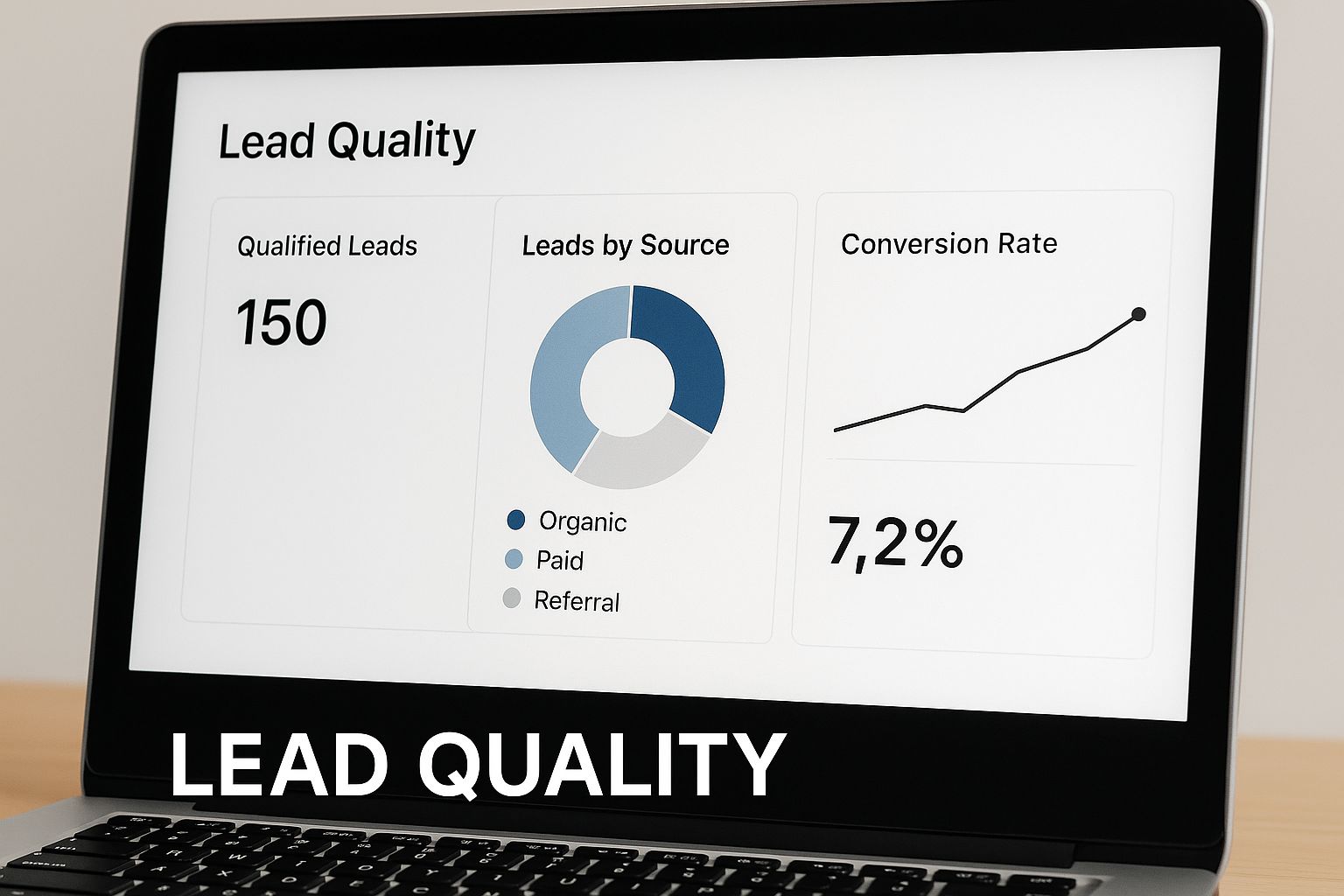
A good dashboard gives you that instant, at-a-glance clarity. It helps your team see which leads need immediate attention and whether the pipeline is healthy or needs a jolt.
So, how do you choose? It really depends on your stage and needs. Here’s a quick breakdown to help you decide.
Choosing Your Lead Tracking Tool
| Tool Type | Best For | Key Advantages | Potential Drawbacks |
|---|---|---|---|
| Spreadsheets | Solo founders or very small teams with low lead volume. | Free to start, highly flexible, and easy to set up initially. | Prone to errors, hard to scale, lacks automation, no collaboration features. |
| Simple CRMs | Small businesses and startups ready for their first real system. | Affordable, user-friendly, focused on core sales activities. | May lack advanced features for marketing or complex reporting. |
| All-in-One CRMs | Growing businesses and established teams needing sales, marketing, and service. | Comprehensive features, powerful automation, extensive integrations. | Can be expensive, complex to set up, and overwhelming for small teams. |
Ultimately, the best choice is the one your team will actually use every day. Start simple if you need to, but plan for where you want to be in a year.
Mapping Out Your Sales Pipeline Stages
Once you've got your tool, the next move is to define your sales pipeline. These are the distinct steps a lead takes on their journey from a curious prospect to a paying customer. A huge mistake I see people make is using vague, internal-facing stages like "Contacted" or "Working." That tells you nothing.
Instead, your stages should mirror your customer's actual buying process. For a typical B2B SaaS company, a strong pipeline might look something like this:
- New Lead: The first point of contact, whether they found you or you found them.
- Qualified: You've confirmed they have the budget, authority, need, and a realistic timeline (the classic BANT framework).
- Demo Scheduled: They've agreed to see the product in action. This is a big step!
- Proposal Sent: A formal quote or contract has been delivered.
- Negotiation: You're hammering out the final terms, pricing, or specific details.
- Closed Won / Closed Lost: The deal is done—one way or the other.
Having crystal-clear pipeline stages is a game-changer. For a deeper look at this, our guide on how to build a sales pipeline that actually converts is a great resource.
A quick pro-tip: Your pipeline shouldn't be your team's to-do list. It should reflect the buyer's journey. Thinking this way forces you to be customer-centric, which always makes your sales process more effective.
Setting Up Custom Fields That Matter
This is where you make the system truly your own. Every CRM comes with default fields like name and email, but the real magic comes from adding custom fields to capture the data that gives you a competitive edge. This is the context your sales team needs to have truly meaningful conversations.
Think about adding custom fields for things like:
- Lead Source: Exactly where did they come from? (e.g., Organic Search, LinkedIn Ad, Referral, Conference)
- Industry: What market are they in?
- Company Size: A range of employees often works best (e.g., 1-10, 11-50).
- Key Pain Point: What specific problem are they trying to solve right now?
This kind of data is gold. It allows you to segment leads for hyper-targeted marketing campaigns and helps your salespeople walk into a call already knowing what the prospect cares about.
This push for smarter, data-driven sales is why the lead generation market is exploding. In North America alone, it was valued at $1.22 billion in 2021 and is projected to hit $3.62 billion by 2028. That's a huge shift, and it’s all driven by companies getting more intelligent about how they track sales leads.
How to Set Up a Simple Lead Scoring System
Once you get a system in place to track sales leads, you’ll see one thing very quickly: not all leads are created equal. Some people are ready to buy today, while others are just kicking the tires. That's where lead scoring comes in.
Lead scoring is your secret weapon for separating the hot prospects from the window shoppers. It helps your sales team focus their energy where it actually counts.
The idea is straightforward. You assign points to leads based on who they are and what they do. A higher score means they’re a better fit and more likely to buy. This automatically brings your best opportunities to the surface, so your team can stop guessing and start talking to the right people at the right time. It's a game-changer for building a more efficient sales process.
Figuring Out Your Scoring Rules
First things first, you have to decide what a "good lead" actually looks like for your business. Don't try to boil the ocean here. Just start with two basic categories of information you're probably already collecting.
-
Demographic/Firmographic Info: This is all about who the lead is. Think about the explicit details they give you or that you can find easily—things like their job title, company size, industry, or even where they're located.
-
Behavioral Info: This covers what the lead does. It’s all about their digital body language. Are they visiting your pricing page? Did they download that new whitepaper? How many emails are they opening? Did they sign up for a demo?
These two pieces work hand-in-hand. Someone with the perfect job title who never engages with you is just a name on a list. On the other side of the coin, a super-engaged person from a company that’s way too small for your product isn't a priority either. The real magic happens when you find a lead with the right demographics who is also showing strong buying intent.
A Real-World Scoring Example
Let's make this tangible. Imagine you're a B2B SaaS company that sells project management software to marketing agencies. Your sweet spot is a Marketing Director at an agency with 20-100 employees.
Here’s a simple scoring model you could build from that.
Who They Are (Demographics):
- Job Title: "Director" or "VP" gets +15 points.
- Company Size: Between 20-100 employees? Add +10 points.
- Industry: "Marketing & Advertising" is another +10 points.
What They Do (Behaviors):
- Visited Pricing Page: That’s a clear signal. +10 points.
- Downloaded "Project Management for Agencies" Case Study: Very specific intent. +15 points.
- Requested a Demo: This is the big one. Give them +25 points.
- Opened 3+ Emails This Week: They're paying attention. +5 points.
We can set a threshold here. Any lead who scores over 50 points is automatically flagged as a Marketing Qualified Lead (MQL) and sent straight to the sales team's queue. This simple rule creates a clean handoff and ensures hot leads get a call right away.
This system isn't something you set and forget. As you track sales leads and see which ones turn into happy customers, you’ll start to see patterns. Maybe you notice that everyone who closes watched a particular webinar. That's your cue to go back and increase the point value for that action.
Constantly tweaking your lead qualification is one of the highest-leverage activities you can do. For a deeper dive into this, our guide on how to qualify leads has some great strategies.
From Tracked Leads to Real Opportunities
So, you're tracking your leads. That's a great start, but it's only half the game. All that data is pretty useless unless you use it to build relationships and gently guide people toward a sale. This is where lead nurturing comes in—it’s how you turn raw contact info into genuine opportunities.
Think of nurturing as the bridge between someone showing a flicker of interest and them being ready to actually talk business. It's all about sending the right message at the right time, based on what they've actually done. You’re essentially having a smarter, more relevant conversation that shows you get what they're struggling with.
Split Your Leads for Smarter Conversations
One of the fastest ways to kill a potential deal is to treat every lead the same. The whole point of tracking is to gather enough intel to split your audience into meaningful groups. You don't need a super complex system to start. Just look at their behavior.
For example, a person who downloaded your whitepaper on "The Future of Remote Work" is in a completely different headspace than someone who just requested a demo. The first one is exploring a topic; the second is exploring you.
You could start with a few simple buckets:
- The Researchers: These are your content downloaders (ebooks, guides). They're not ready for a sales pitch; they need more educational stuff.
- The Solution-Aware: They've checked out case studies or spent time on your features page. Now you can start talking more about your product.
- The Decision-Makers: These are the hot leads. They've hit the pricing page or asked for a demo. They need a more direct, sales-focused touch.
Just by sorting leads this way, you can tailor your follow-up so it feels helpful, not pushy.
Put Your Nurturing on Autopilot
With your segments defined, you can build simple automated email workflows. And no, I don't mean those generic "just checking in" emails everyone hates. Each message needs to offer real value based on what you already know about them.
Let's play out those two scenarios from before.
Scenario 1: The Whitepaper Downloader
- Email 1 (Right Away): Send them the whitepaper, simple as that.
- Email 2 (3 Days Later): Follow up with a link to a related blog post or a quick video that builds on an idea from the whitepaper.
- Email 3 (A Week Later): Share a customer story showing how a similar company solved the exact problem the whitepaper talks about.
Scenario 2: The Demo Requester
- Email 1 (Right Away): Confirm their request and give them the scheduling link.
- Email 2 (Day Before Demo): Send a friendly reminder, maybe with a short video highlighting a cool feature they’re about to see.
- Email 3 (After the Demo): Follow up with a quick recap and answers to any specific questions they asked.
A truly effective nurturing sequence feels like you're reading the prospect's mind. You answer their next question before they even think to ask it. That’s how you build trust and become a go-to expert, not just another vendor.
This isn't just theory; it has a massive impact on the bottom line. Companies that get lead nurturing right see a 20% increase in sales opportunities. Not only that, but nurtured leads move through the pipeline 23% faster and spend 47% more when they finally buy. If you want to dive deeper into the numbers, you can discover more insights about lead generation strategies on growthlist.co.
This whole process changes what it means to track sales leads. You stop being a passive observer of activity and start actively using that information to build momentum, guiding interested people all the way to becoming happy customers.
Using Data to Optimize Your Sales Process
Think of your sales lead tracking system as more than just a digital rolodex. It's actually a treasure trove of business intelligence, showing you exactly what’s working—and what’s falling apart—in your sales process. The real magic happens when you stop just collecting data and start using it to build a predictable revenue machine.
This whole shift begins with keeping an eye on a few key performance indicators (KPIs). You don't need to track every single metric under the sun. Just focus on the numbers that have a direct line to your bottom line. These are the data points that give you a cold, hard look at your team's performance and the overall health of your pipeline.
Building Your First Sales Dashboard
Chances are, your CRM already has some decent dashboard features built right in, so you probably don’t need to buy another tool just to get started. The main goal here is to create a simple, visual command center that gives you a real-time pulse on your sales efforts at a single glance.
Here are the absolute must-haves for that first dashboard:
- Lead-to-Customer Conversion Rate: This is the big one. It's the percentage of leads that actually turn into paying customers. If this number is low, it’s a red flag. You might be dealing with poor lead quality, or maybe there's a serious clog somewhere in your sales cycle.
- Sales Cycle Length: On average, how many days does it take to turn a new contact into a closed deal? If you notice this number starting to climb, it could mean your follow-up game is weak or deals are getting bogged down at a particular stage.
- Performance by Lead Source: This tells you which of your marketing channels are giving you the most bang for your buck. For instance, if you discover that leads from organic search close at twice the rate of leads from paid ads, you know exactly where to funnel more of your marketing spend.
Think of your dashboard as a diagnostic tool. It won't fix your problems on its own, but it will pinpoint exactly where you need to start digging. A sudden drop in your conversion rate is a clear signal to go figure out what changed that week.
Finding and Fixing Bottlenecks
Once you start consistently tracking your sales leads and how they move through your pipeline, the bottlenecks become painfully obvious. A bottleneck is simply any stage where your deals seem to slow down, stall out, or die altogether.
Let's say you're looking at your dashboard and notice a ton of leads are moving from "Qualified" to "Demo Scheduled," but only a handful ever make it to the "Proposal Sent" stage. Boom—that's your bottleneck.
This is where the data pushes you to ask the right questions. Was the demo not convincing? Is the handoff between the demo and the proposal taking too long? Are your reps failing to ask for the next step?
This is what sales optimization is all about. You use the data to form a hypothesis ("I think our demo isn't creating enough urgency"), make a small change (like tweaking your demo script), and then you watch your dashboard to see if it made a difference. This constant cycle of analyzing, adjusting, and measuring is what truly separates the good sales teams from the great ones. For those ready to go a step further, learning how to automate the sales process can be a game-changer for clearing up the manual tasks that often cause these delays in the first place.
Common Questions About Tracking Sales Leads
When you first decide to seriously track sales leads, it's easy to get bogged down by all the "hows" and "whats." Knowing you should track leads is one thing; actually building a system that works is another beast entirely. Let's walk through some of the questions that trip people up right out of the gate.
Nailing these fundamentals early on is the difference between a system that empowers your sales team and one that just adds more busywork to their day.
What Is the Best Tool to Start With?
If you're a one-person shop or a tiny startup, don't overcomplicate things. A well-organized spreadsheet can be your best friend. It’s free, you can tweak it however you like, and it forces you to get into the habit of tracking the right information without a big upfront cost.
But let's be real—spreadsheets have a short shelf life. As soon as you're juggling more than a few leads a week, things start falling through the cracks. That’s your cue to look at a real CRM. You don't have to break the bank, either. Tools like HubSpot CRM have incredibly robust free versions that are perfect for growing teams. They automate the boring stuff and give you a visual pipeline so you never forget to follow up again.
How Often Should I Review My Data?
The key is to build a rhythm. For sales managers, a quick weekly check-in on your main pipeline metrics is a must. This is your early warning system. It helps you spot if new leads suddenly dry up or if deals are getting stuck somewhere in the process.
Then, you need to zoom out. Block off time for a deeper, more strategic review every month or quarter. This is where you connect the dots and ask the big-picture questions:
- Which marketing campaigns are actually delivering leads that turn into customers?
- Is our lead scoring system pointing us to the right people, or is it just noise?
- Where are our deals consistently hitting a wall?
This is the analysis that actually improves your process and your bottom line.
The goal isn't just to stare at charts; it's to ask smarter questions. When a number looks off, your first instinct should be to dig in and find the story behind it.
How Do I Get My Sales Team on Board?
Ah, the classic struggle: getting reps to actually use the new system to track sales leads. The secret is to sell it to them. This isn't a tool for you to micromanage them; it's a tool to help them close more deals and make more money.
Start simple. So simple it feels stupid. Only make them track the absolute, must-have information. Then, become their biggest cheerleader and show them the wins. "Hey Sarah, see how that lead score flagged the prospect who just became your biggest deal this quarter?" or "John, here’s a report of every person you scanned at that trade show last week, ready for you to call."
Once they see the CRM as a tool that serves them, you won't have to chase them to use it.