
Think about your sales process for a moment. It's really about using technology to take over all the repetitive, manual chores so your team can actually focus on selling. This isn't just a small tweak; it's about pinpointing the real bottlenecks in your workflow, picking the right software for the job, and then building out smart sequences for everything from lead management to follow-ups.
The goal here isn’t to replace your sales reps. It's to supercharge their efficiency.
Why Sales Automation Is No Longer Optional
Let's be real—your sales team is probably drowning in administrative tasks that have very little to do with selling. They're manually punching data into the CRM, trying to remember who to follow up with and when, and just getting bogged down. This is the exact problem sales automation was built to fix, and it's become a must-have for any B2B SaaS company that wants to compete.
Moving Beyond Manual Overload
The heart of the problem is that you have highly-skilled, expensive sales pros spending way too much of their day on low-impact work. Every hour they spend logging a call, updating a deal stage, or typing out another generic follow-up is an hour they aren't spending on a discovery call, running a great demo, or building a real relationship with a customer.
This manual overload causes some serious, tangible problems:
- Leads Slip Through the Cracks: When you rely on human memory for follow-ups, good leads are going to get forgotten. It's inevitable, especially when things get busy.
- Inconsistent Customer Experience: Without a set process, the experience a prospect gets can be completely different depending on which rep they talk to.
- Slow Response Times: Speed wins. If you're manually assigning and responding to new leads, you're giving your competitors a massive head start.
- Inaccurate Forecasting: Manual data entry is full of typos and mistakes. This leads directly to a messy sales pipeline and forecasts you just can't trust.
This isn't just a minor headache; it's a huge drag on your revenue and your team's morale. That’s why the adoption of these tools is exploding. The global sales force automation market was already valued at $8.6 billion in 2023 and is projected to skyrocket to $19.5 billion by 2030. If you want to dig deeper, you can discover more insights about this rapid market growth and see why 75% of organizations are already using these tools.
By automating the right tasks, you free up your best people to do what you hired them to do: connect with customers and close deals. It turns the sales role from an administrative grind into a strategic, relationship-focused career.
A Strategic Framework for Change
This guide is more than just a list of cool tools. I’m going to give you a strategic framework for rethinking your entire sales process from the ground up. Because bringing in automation isn't just about plugging in new software; it's about fundamentally changing how your team works for the better.
We'll walk through a clear, step-by-step path, covering how to map out your current process, pick the right tech for your specific needs, build workflows that actually make an impact, and measure your success with the metrics that matter.
Blueprint Your Sales Process Before Automating

Here's the biggest mistake I see companies make: they dive headfirst into buying automation software without a clear plan. It’s a natural impulse. You see a problem, and the promise of a shiny new tool to fix it is incredibly tempting. But this approach almost always backfires, leaving you with expensive, clunky systems that create more work than they save.
Before you even think about looking at a single product demo, you need a blueprint. Automating a chaotic process just gives you a faster, more expensive version of that same chaos. The real goal is to first understand your current sales workflow, figure out what’s actually broken, and then find technology that fits your team like a glove.
This foundational map puts you in control. It ensures you’re choosing tech that serves your process, not forcing your process to conform to a tool’s limitations.
Trace the Customer Journey from Start to Finish
Let's make this real. Imagine a prospect lands on your website and fills out a "Request a Demo" form. What happens right after they click "Submit"? Don't just guess—trace the entire journey, step by step, from that first click all the way to a closed deal.
This isn’t about what your process should be. It's about what it actually is, warts and all. Grab a whiteboard or open a digital canvas and get granular.
- Lead Intake: The form is submitted. Who gets the notification? Does it land in a shared inbox, or does it go to a specific person?
- Initial Contact: How long does it take for a sales rep to actually reach out? Is that first touchpoint an email or a phone call?
- Qualification: What key questions does the rep ask to see if this lead is a good fit? Where does that information get recorded?
- Demo & Discovery: The demo is scheduled and completed. What are the rep’s required follow-up actions?
- Proposal & Negotiation: A proposal is sent out. How is it built? How do you track whether the prospect has even opened it?
- Closing: The deal is won! What’s the handoff process to get the new customer over to the onboarding or success team?
This simple exercise forces you to confront the reality of your day-to-day operations. You’ll quickly spot where things are running smoothly and where all the friction is.
Pinpoint the Manual Tasks and Bottlenecks
Once you have your journey mapped out, break out the highlighters. Your next move is to flag every single manual task your team performs at each stage. This is where you’ll find your biggest opportunities for automation.
You could even color-code your map—maybe red for manual tasks and green for system-driven actions. My bet is you'll see a lot of red, representing all the little things that drain your team’s time and energy.
The goal here is to visually identify the repetitive, low-value activities that are slowing your team down. These are your prime candidates for automation—the quick wins that will deliver the most immediate impact.
Look for patterns of inefficiency. For example, you might discover your reps spend 30 minutes a day just logging call notes and updating deal stages in the CRM. Or maybe you find that leads from your demo form sit in an inbox for an average of six hours before anyone contacts them. These aren't just minor inconveniences; they are significant bottlenecks that are actively costing you revenue.
Define Your Sales Stages Clearly
As you map all this out, you’ll naturally start to see distinct phases in your process. Formalizing these stages is absolutely critical for building a scalable and measurable system. It’s the foundation of a healthy sales pipeline. If you want to dive deeper, you can learn more about how to structure this in our complete guide on how to build a sales pipeline.
Most B2B sales processes include some version of these stages:
- New Lead: A new contact has entered your world.
- Attempting Contact: Your team is actively trying to connect.
- Qualified: The lead has been vetted and confirmed as a good fit.
- Demo Scheduled: A product demonstration is on the calendar.
- Proposal Sent: The prospect is officially reviewing your offer.
- Negotiation: You're in the final stretch, discussing terms and pricing.
- Closed Won / Closed Lost: The final outcome of the deal.
With this blueprint in hand—complete with a clear customer journey, identified manual tasks, and defined stages—you are finally ready to start exploring technology. Now you have a clear shopping list of problems to solve, which will point you directly to the right tools for your business.
Building Your Modern Sales Automation Stack
Alright, you've mapped out your sales process. Now for the fun part: picking the technology to bring it to life. This is where a lot of teams get stuck, staring at an endless sea of software options.
The secret isn't finding one magic platform that does everything. It’s about building a smart, connected tech stack where every tool has a clear purpose and they all talk to each other.
Think of it like putting together a killer sound system. You need a powerful receiver, great speakers, and a solid subwoofer. Each component does its job, but they work together to create an incredible experience. Your sales stack is the same—it’s all about creating a system that works in harmony.
A well-built stack eliminates data silos. You know, those annoying situations where crucial customer info is trapped in one app, completely invisible to the rest of your team. When data flows freely, your reps can have much smarter, more relevant conversations.
Your CRM: The Heart of the Operation
Let's get one thing straight: your Customer Relationship Management (CRM) system is the absolute, non-negotiable center of your sales universe. It's your single source of truth for every prospect and customer interaction. Every other tool you add must plug into it. No exceptions.
When you're looking at CRMs, don't just settle for a digital rolodex. A modern CRM is a powerful automation engine in its own right. It should handle key jobs like:
- Lead assignment: Instantly sending new leads to the right person based on territory, company size, or any rules you set.
- Task creation: Automatically pinging a rep to follow up when a deal hits a new stage or after a demo is completed.
- Data updates: Keeping contact records fresh by pulling in new information from your other connected tools.
This is not the place to cut corners. A robust platform like Salesforce or HubSpot gives you a foundation you can build on as your company grows and your needs get more complex.
The Essential Tool Categories
With your CRM as the foundation, you’ll want to layer on a few other specialized tools. Most modern B2B SaaS teams rely on three key categories to cover the entire sales cycle.
Choosing the right mix of tools is crucial for building an efficient sales machine. Each category serves a distinct purpose, from finding leads to closing deals.
Essential Sales Automation Tool Categories
| Tool Category | Core Function | Example Use Case | Key Evaluation Criteria |
|---|---|---|---|
| Lead Enrichment & Intelligence | Automates the process of finding and verifying contact/company data. | A rep gets a lead with just a name and company. The tool automatically adds their email, phone, job title, and company size. | Data accuracy, depth of information, CRM integration quality, refresh rate. |
| Sales Engagement Platform (SEP) | Executes and manages multi-channel outreach sequences at scale. | A rep enrolls a prospect into a 10-step sequence that includes automated emails, call reminders, and LinkedIn connection requests. | Sequencing flexibility, analytics and reporting, ease of use for reps, call/email integration. |
| Proposal & Contract Software | Streamlines the creation, delivery, and signing of sales documents. | A rep generates a customized proposal from a template in 5 minutes and sends it for e-signature, getting a notification the moment it's viewed. | Template management, e-signature capabilities, deal stage automation, user experience for the buyer. |
Each of these tools solves a specific problem that your CRM alone can't handle as efficiently, creating a powerful, specialized stack.
The real magic isn’t in any single tool, but in how they all connect. When your sales engagement platform automatically logs every touchpoint in your CRM, and your proposal software updates the deal stage to "Closed-Won" the second a contract is signed—that’s when you’ve built a true automation machine.
How to Choose and Connect Your Tools
As you're evaluating software, make integrations your top priority. A tool can have all the bells and whistles, but if it doesn't sync cleanly with your CRM, it's going to create headaches and manual data entry.
Companies are investing heavily in this connectivity. The global marketing automation market was valued at nearly $5.9 billion in 2023 and is expected to rocket to $13.7 billion by 2030. This boom is all about tying sales and marketing tools together for a single, powerful revenue engine. If you want to dive deeper, you can discover more insights about these marketing automation trends.
To get a feel for the landscape, check out something like the G2 Grid® for Sales Engagement software. It’s a key piece of any modern stack.
This grid gives you a real-world look at how different platforms stack up based on user reviews and market presence. It’s a great starting point for your own research. By picking tools that fit your sales motion and connect seamlessly, you’ll build a stack that helps your team sell smarter, not just work harder.
Building Your First High-Impact Workflows
Alright, let's get practical. It's time to turn all that strategy into action. I’m going to walk you through three essential workflows that I’ve seen deliver quick, tangible results in B2B sales.
Think about it: by 2025, a staggering 80% of B2B sales interactions are expected to happen on digital channels. This shift means that real-time, automated responses aren't just a "nice-to-have"—they're becoming critical for survival.
These first few workflows are designed to automate some of the most time-consuming tasks: responding to new leads, following up after meetings, and re-engaging opportunities that have gone quiet. The goal here is to free up your reps so they can focus on what they do best: selling.
The Instant Lead Response Workflow
Nothing kills a lead faster than a slow response time. When a new contact fills out a form on your website, the clock starts ticking. This workflow is all about making an immediate, professional impression.
Here’s how it works in practice: the moment a new lead hits your CRM from a web form, a sequence of events kicks off automatically.
- Enrich the Contact: The system instantly pings an API (like Clearbit or ZoomInfo) to pull in crucial data—company size, industry, job title, you name it.
- Assign the Lead: Based on rules you've set (like territory or product interest), the lead is immediately routed to the right sales rep.
- Send an Intro Email: A personalized, dynamic email template is sent out within one minute.
This simple setup ensures every single inbound lead gets a consistent and lightning-fast response. It not only wows your prospects but also keeps your CRM data clean and up-to-date from the get-go.
A quick pro-tip from experience: watch your API call limits. If you get a sudden surge of inbound leads, you don’t want your enrichment tool to get maxed out. It’s worth checking those settings.
The Automated Meeting Follow-up Sequence
We've all been there—a great demo call ends, and the follow-up email gets lost in the shuffle of a busy day. This workflow puts an end to that, making sure no one misses a beat before or after a meeting.
The logic is straightforward. It sends pre-meeting reminders to increase attendance and then adapts the follow-up based on what actually happened.
- A day before the scheduled call, the system sends a reminder email with the meeting link.
- After the meeting time passes, it checks the CRM for the attendance status.
- If they showed up, an email goes out with a link to the recording and a quick summary.
- If it was a no-show, a different email is triggered offering to reschedule.
This keeps leads engaged by delivering exactly what they need, right when they need it. It’s a simple way to plug a very common leak in the sales funnel.
I’ve seen teams boost their post-demo response rates by over 40% just by automating their follow-ups. It’s a small change that makes a huge difference.
The process is really about creating a smooth journey for your prospect, as this visual shows.
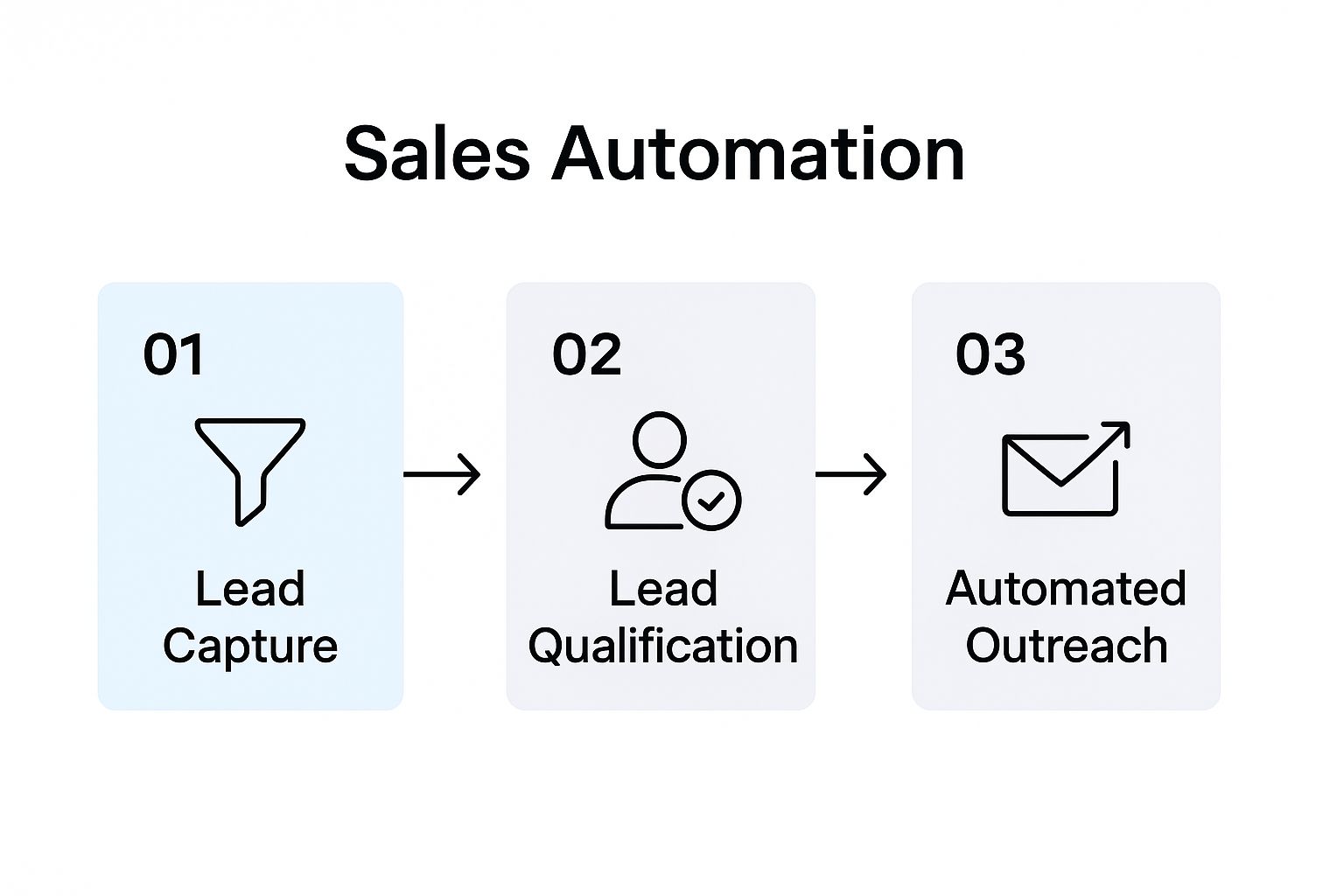
From the moment a lead is captured, automation can guide them through qualification and outreach without the clumsy manual handoffs that slow everything down.
The "Deal Gone Quiet" Nurturing Workflow
What about those deals that seemed promising but have now gone cold? This workflow is designed to gently nudge those stalled opportunities and see if there’s still a pulse.
The trigger is simple: if an opportunity has had no activity for over 30 days, this re-engagement sequence kicks in.
- It starts by sending a personalized check-in email, maybe including a link to a relevant case study.
- If there’s no reply after a few days, it can add the contact to a long-term "keep-warm" newsletter list.
- It could also create a task for a senior rep to place a follow-up call, just in case a human touch is needed.
This kind of workflow is brilliant for uncovering hidden roadblocks or just staying top-of-mind until the timing is right again. We’ve seen it boost deal reactivation rates by as much as 25%.
If you want to get more sophisticated with how you identify which leads to nurture, it's worth reading up on how to qualify leads more effectively. The key is to always personalize the outreach by referencing past conversations or challenges you’ve already noted in the CRM.
How to Measure and Optimize Your Automation

Getting your automated workflows up and running is a great first step, but the real magic happens next. The goal isn't to "set it and forget it." Instead, you want to build a sales engine that gets smarter and more efficient over time, and that requires continuous improvement.
This is where you stop guessing and start digging into the data your CRM is now diligently collecting. By tracking the right numbers, you can see what’s working, what's falling flat, and exactly where you can make tweaks for bigger returns.
Identifying the Key Performance Indicators That Matter
It's easy to get overwhelmed by all the data available. The trick is to ignore the noise and focus on a handful of Key Performance Indicators (KPIs) that truly reflect the health of your sales process. These are the numbers that tell the real story.
I always recommend building a simple dashboard in your CRM to keep these front and center.
- Lead Response Time: When a new lead comes in, how long does it take for your automated first touch to go out? Speed is one of the biggest advantages of automation, and this metric tells you if you're capitalizing on it.
- Sales Cycle Length: How many days does it take to get from that initial contact to a signed deal? A shrinking sales cycle means you’re closing deals faster and accelerating revenue.
- Stage-by-Stage Conversion Rates: What percentage of leads make it from "Qualified" to "Demo Scheduled"? Or from "Proposal Sent" to "Closed-Won"? This helps you spot the exact moments prospects are losing interest.
- Email Reply & Click-Through Rates: Are people actually engaging with your automated outreach? A low reply rate could mean your messaging is off or the timing isn't right.
Once you have a baseline for these metrics, you can start making intentional changes and see if you’re moving the needle in the right direction.
Diagnosing Problems with a Data-Driven Approach
Think of your KPIs as the warning lights on your car's dashboard. They tell you something is wrong, but you still have to pop the hood to figure out what it is. This is where you put on your detective hat and let the data guide you.
Let’s say you notice a significant drop-off between the "Demo Scheduled" and "Proposal Sent" stages. The automation is doing its job of booking meetings, but something is going wrong afterward.
Your CRM data is the key to finding the answer. Are reps forgetting to send the follow-up summary? Is the automated reminder email not compelling enough to keep the momentum going? The data points you directly to the weak link in your process.
This approach takes the guesswork out of optimization. You can stop throwing random fixes at the wall and start making targeted adjustments that will actually impact your bottom line.
Running Experiments to Fine-Tune Your Workflows
After you’ve formed a hypothesis about what’s wrong, it’s time to test it. The most effective way to do this is with a simple, controlled A/B test where you change just one thing at a time.
Imagine your automated email sequence has a disappointingly low reply rate. Here’s how you could run an experiment:
- Split Your Audience: Keep your current email sequence (Version A) running for 50% of new leads. For the other 50%, create a new sequence (Version B) with a more direct and punchy subject line.
- Measure the Results: Let the test run for a week or two, then compare the reply rates for both versions.
- Implement the Winner: If Version B generated a much higher reply rate, roll it out as the new standard for everyone.
You can use this same method for almost anything: test different calls-to-action, adjust the timing between follow-ups, or even tweak the criteria that flags a deal as "at-risk."
This constant cycle of measuring, diagnosing, and testing is how you build a truly high-performing sales machine. These operational improvements also have a direct impact on your financials. In fact, you can discover more about how this impacts the crucial SaaS customer acquisition cost in our detailed guide on the topic.
Answering Your Top Sales Automation Questions
Even with a solid plan, jumping into sales automation can feel a bit daunting. Let's walk through some of the questions I hear all the time from teams making this shift. Getting these cleared up now will help you avoid common pitfalls and move forward with confidence.
Will This Make Us Sound Like Robots to Our Customers?
This is a huge—and totally valid—concern. The short answer? Yes, it absolutely can, but only if you get it wrong. The secret is to follow one simple rule: automate the tasks, not the relationships.
Think of your automation tools as a silent partner working in the background. They should be handling the grunt work—things like logging activities, sending follow-up reminders, or routing a new lead to the right person. This is what frees up your reps to focus on what they do best: building real connections, having strategic conversations, and actually helping people.
Good automation doesn’t replace human interaction; it creates more time and space for it. By taking care of the tedious stuff, it lets your team be more present and personal when they finally connect with a prospect.
Of course, use personalization tokens (like {{first_name}} and {{company_name}}) in your automated outreach to show you've done your homework. But always, always save the critical, relationship-defining conversations for a real human.
What's the Biggest Mistake People Make When Automating Sales?
Hands down, the number one mistake I see is teams rushing out to buy a shiny new tool before they've even mapped out their own sales process. It’s the classic cart-before-the-horse problem. A team gets wowed by a platform's bells and whistles without ever stopping to figure out what problems they’re actually trying to solve.
What happens next is a messy, frustrating mess. They end up twisting their process into knots to fit the software's limitations, instead of picking software that actually fixes their real bottlenecks. This inevitably leads to reps hating the new tool, wasted budget, and a process that’s somehow even clunkier than the manual one they started with.
Always, always start by blueprinting your workflow first. Pinpoint the real friction points, and only then go looking for technology built to solve them.
How Much Is This Going to Cost?
There's no single price tag here—the cost can swing wildly. It really boils down to the size of your team and how sophisticated your needs are.
For a smaller business or a startup, you might find that the automation features already built into your CRM are more than enough to get started. You could be looking at something in the ballpark of $50 to $150 per user, per month.
On the flip side, a larger enterprise building out a more complex tech stack—think a high-powered CRM, a dedicated sales engagement platform, and a few data enrichment tools—could easily be looking at several hundred dollars per user, per month.
My advice? Start small. Find one or two high-impact areas you can automate, invest in the tools you need for just that, and prove the ROI. You can always scale up your investment once you see it paying off.
Where Should I Start Automating First?
If you want the biggest bang for your buck right out of the gate, start at the top of the funnel with lead management. Automating things like lead assignment, the first touchpoint, and the initial follow-up sequence gives you an immediate and very measurable win.
Why start there? Because this stage is all about speed, and it's where most leads get dropped. Nailing your top-of-funnel automation ensures:
- No lead ever slips through the cracks.
- Your response time shrinks from hours down to minutes.
- Your reps are freed from the drudgery of manual prospecting.
By tackling this first, you instantly give your reps more time to do what they were hired for: having great conversations with qualified people.